 Sign up with Google
Ad Integrations
Connect your Meta and TikTok ad accounts so Noise can run creator posts as ads and track their spend.
Connect your Meta and TikTok ad accounts from Settings → Integrations and Noise can turn approved creator posts into ads: it builds them in the ad sets (TikTok: ad groups) you choose, and tracks the spend on every ad that runs a creator's post. Noise only asks for ads permissions, and you pick exactly which ad account it can use.
Only ad accounts that bill in USD can be connected right now.
Connecting Meta
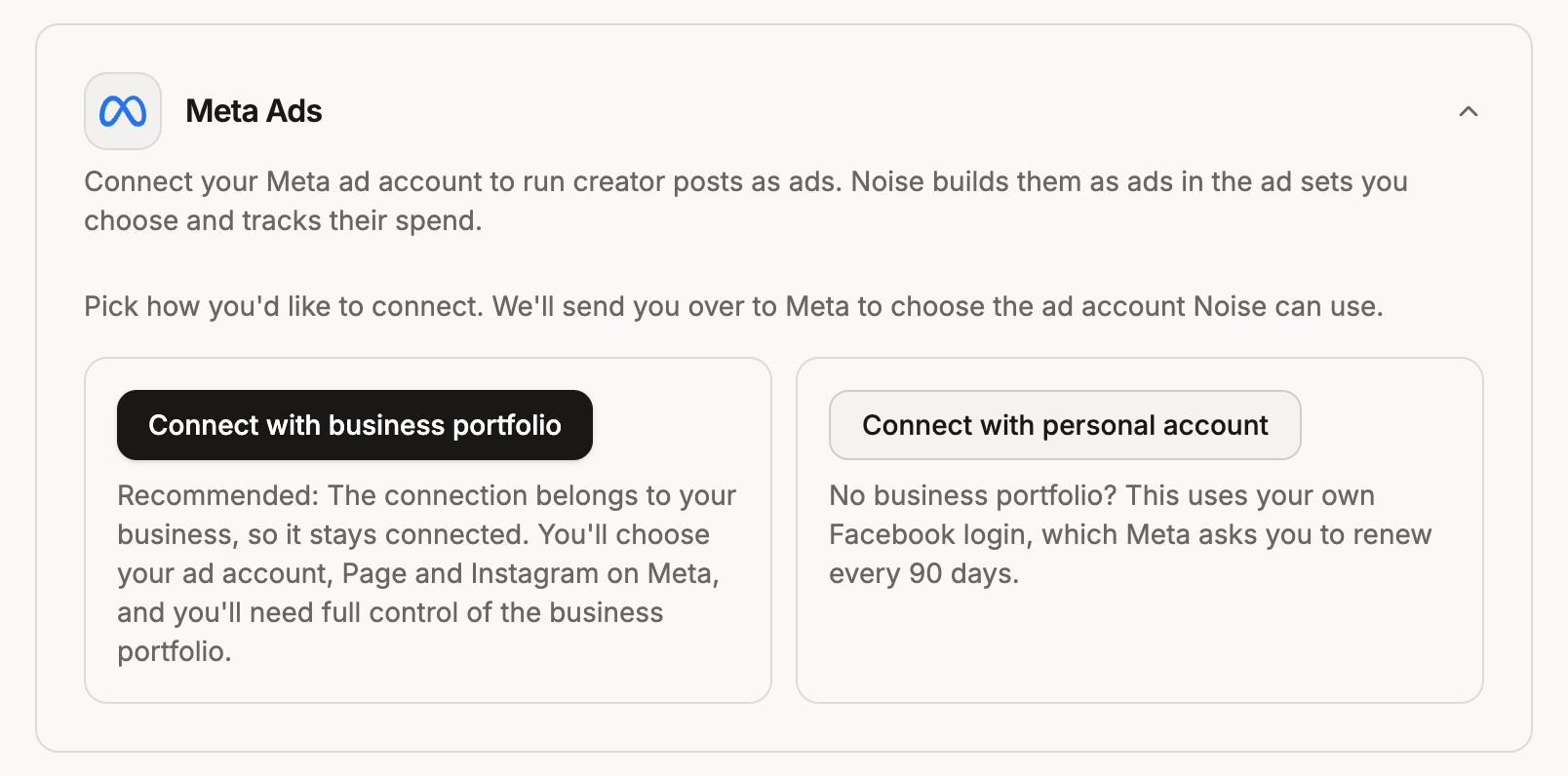
There are two ways in. Connect with your business portfolio if you can: the connection belongs to your business, so it never expires and keeps working when people on your team come and go. Connect with your personal account only if your business doesn't have a business portfolio.
With your business portfolio (recommended)
Before you start, make sure you have Full access to the business portfolio that owns your ad account and your Facebook Page. With partial access, Meta can't hand the Page to Noise and the connect fails (see Troubleshooting Meta).
- On the Integrations page, open Meta Ads and click Connect with business portfolio.
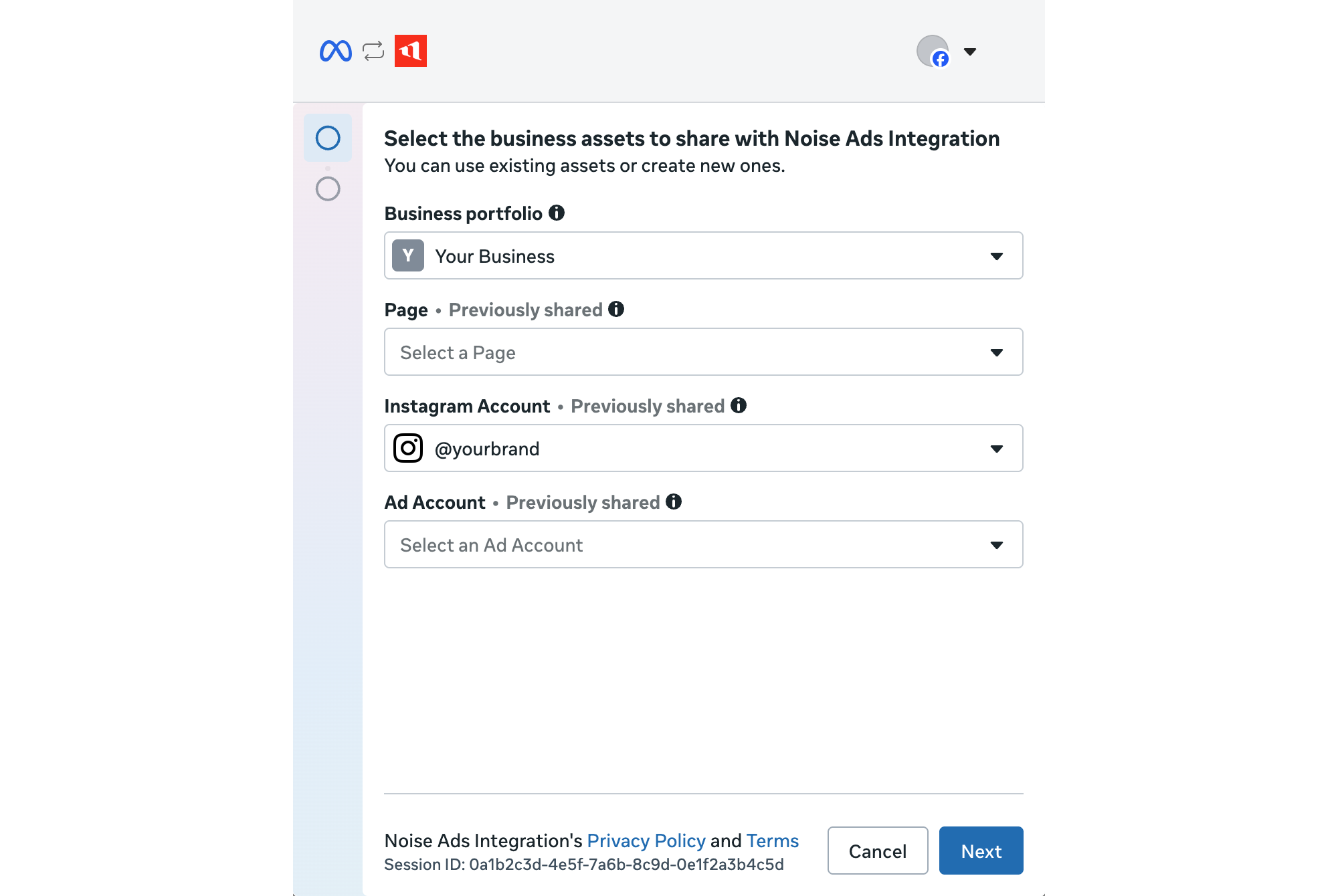
- Meta opens. Choose your business portfolio, then the ad account, the Facebook Page your ads should post as, and your Instagram account (optional).
- Confirm. You land back on Noise.
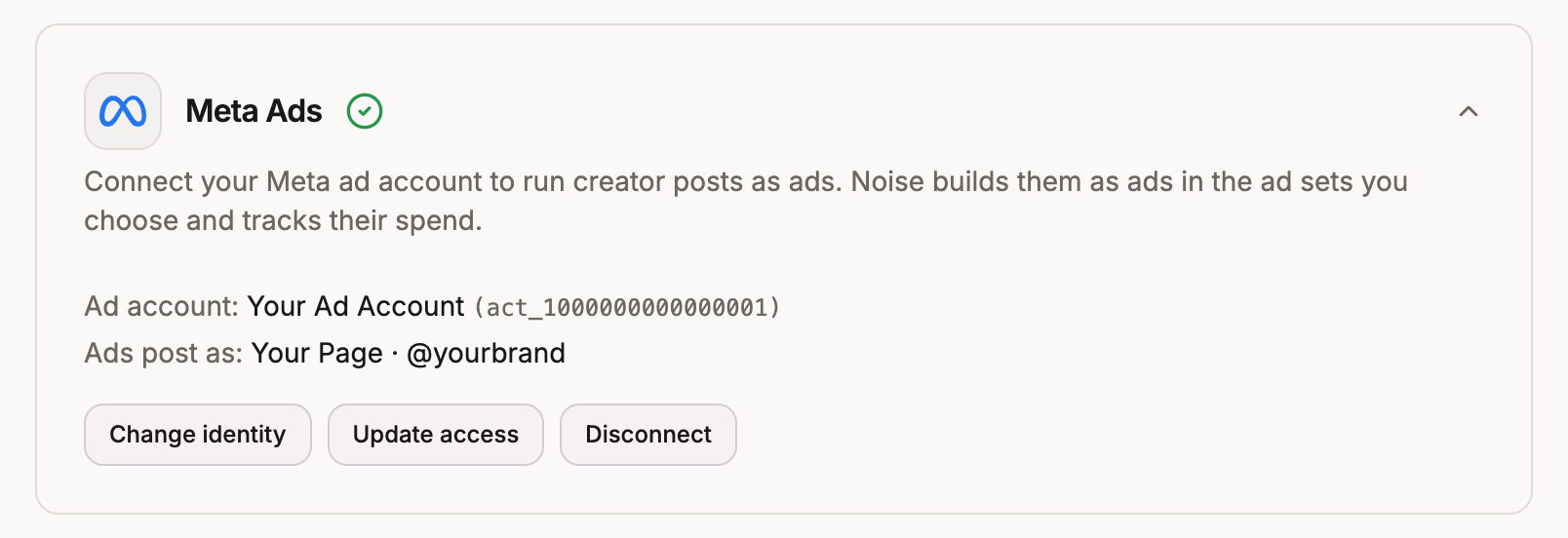
- If you shared one USD ad account and one Page, you're done: the card shows the ad account and who ads post as. Otherwise pick the ad account and click Connect account, then click Choose identity to pick the Page and Instagram account.
Want to share another Page or ad account later? Click Update access on the card. Sharing only ever adds: to take access away, remove it in Meta (see Check what Noise can access).
With your personal account
- Open Meta Ads and click Connect with personal account.
- Log in to Facebook and approve Noise.
- Back on Noise, pick the ad account and click Connect account, then click Choose identity to pick the Page and Instagram account your ads post as.
Meta makes personal logins renew every 90 days. Three weeks before the deadline the card shows a reminder: reconnect before then, or your ad data pauses until you do. You can move to your business portfolio at any time with Switch to business portfolio, which keeps your ad account and history.
Connecting TikTok
- On the Integrations page, open TikTok Ads and click Connect TikTok.
- TikTok for Business opens. Sign in and approve Noise.
- Back on Noise, pick the advertiser account and click Connect account.
TikTok connections don't expire. They keep working until you remove Noise in TikTok for Business.
Troubleshooting Meta
Meta's dialog has no error text of its own for most of these, so here is what each one means and where to fix it. Everything below lives in Meta's business settings at business.facebook.com/latest/settings. Check that the right portfolio is selected top left before you look: click the portfolio tile in the left rail to switch.
"The following business assets were not granted the requested permissions"
Meta shows this inside its connect dialog, followed by an ID, when it couldn't give Noise one of the assets you picked. The ID is almost always your Facebook Page. Work through these in order:
- Check your access to the portfolio. Open Users → People and find your name. The Business portfolio access column needs to say Full access. If it says Partial access, you can't share the Page with Noise yourself: ask someone with full access to run the connect, or to give you full access. In the meantime, you can connect with your personal account.
- Check the portfolio owns the Page. Open Accounts → Pages and search for the ID from the error.
- Not listed: the Page isn't in your portfolio. Add it with Add → Add an existing Facebook Page. If you don't have full control of the Page itself, someone who does has to approve the request.
- Listed: click it and look at Owned by. If that's another business, such as an agency, the Page is only shared with you, and it probably can't be passed on to Noise. Either the owning business moves the Page into your portfolio, or you connect a Page you own.
- Check your access to the Page. On the Page's People tab, you should show as Full access.
Then connect again and pick the ad account and that Page.
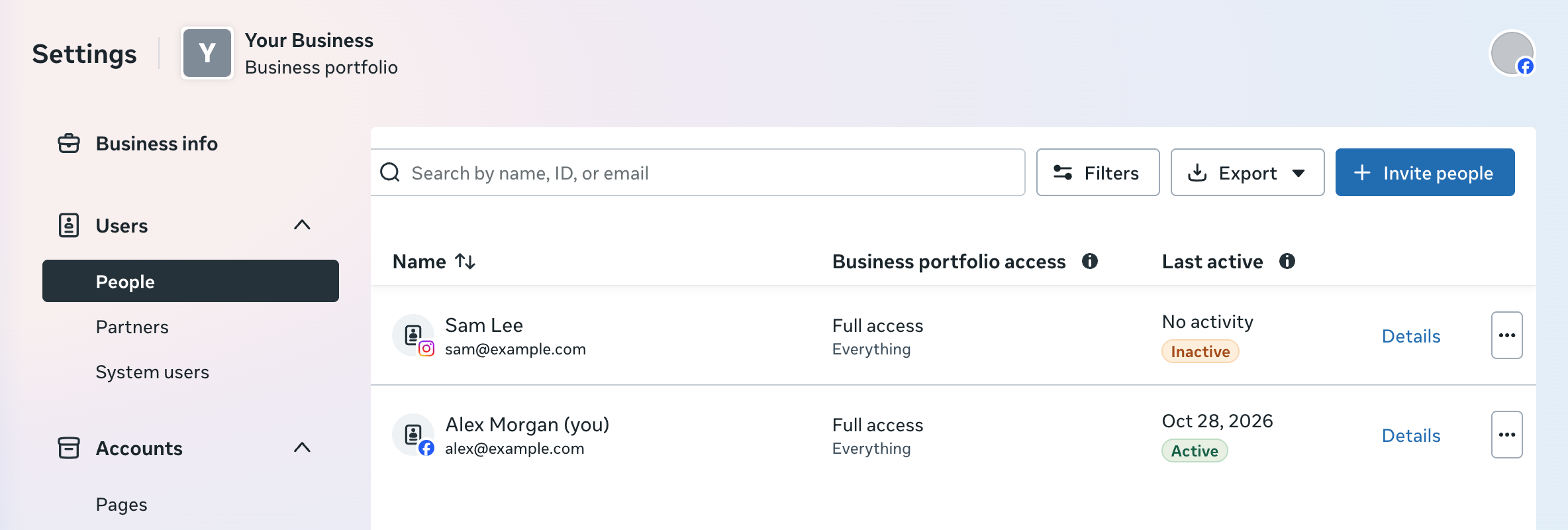
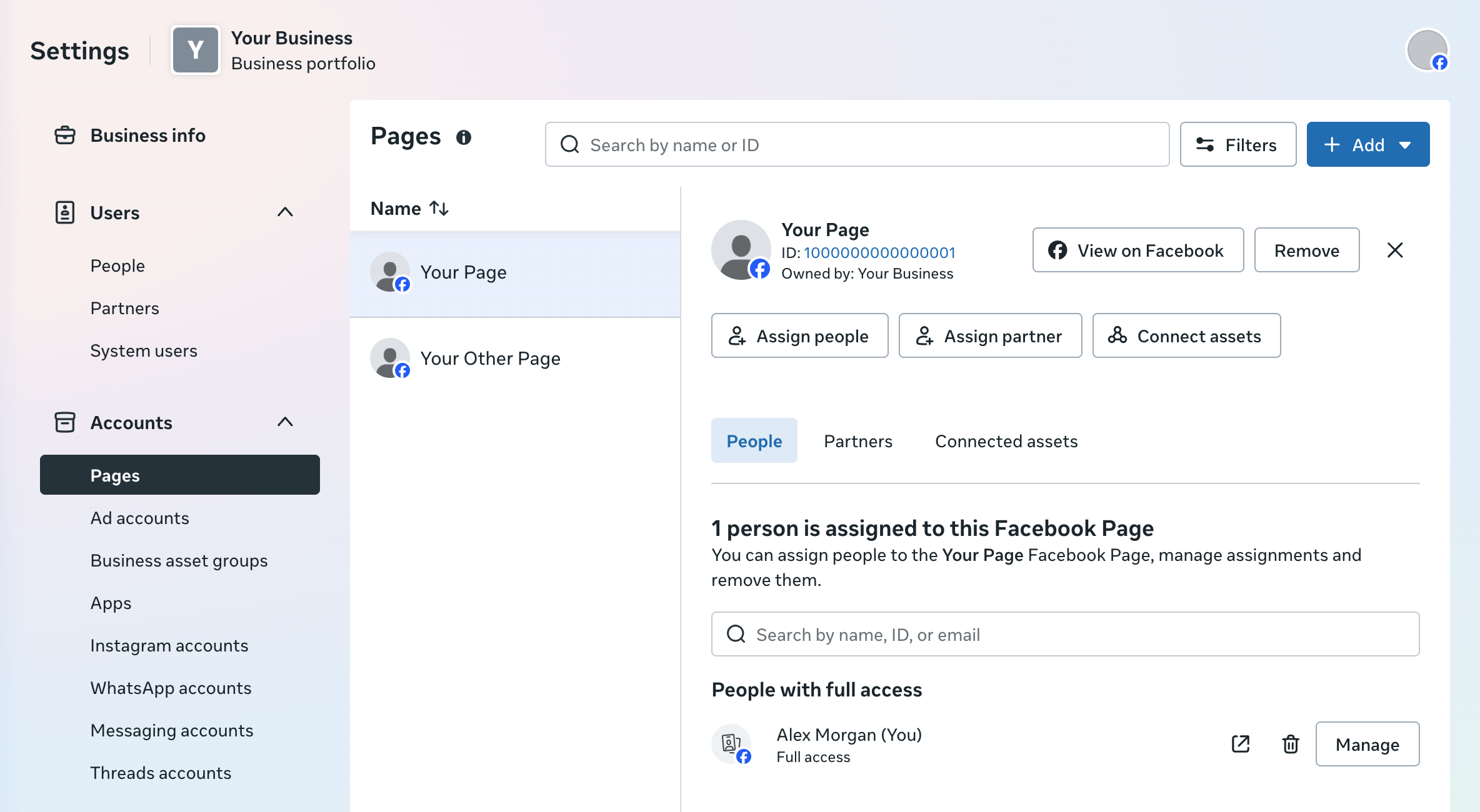
With partial access, the Pages list only shows the Pages assigned to you (or "No assigned Pages") and Add is greyed out, which is a quick way to tell that step 1 is the problem.
"This Meta login doesn't manage any ad accounts"
The Facebook account you logged in with can't see an ad account. Log in with the account that runs your ads, or ask the portfolio's admin to give you access to the ad account, then connect again.
"Noise can only connect USD ad accounts right now"
Your ad accounts bill in another currency. Add a USD ad account to your business and connect that one, or contact us and we'll let you know when your currency is supported.
Your Page isn't in the list, or "Meta has not shared your Pages with Noise"
Noise only sees the Pages you shared when you connected. Connect again and include the Page this time: on a business portfolio connection, Update access does exactly that.
The card says "Reconnect needed"
Meta stopped accepting the connection: Noise's access was removed in Meta, or a personal login expired or was reset (a password change does this). Click Reconnect with business portfolio (or Reconnect with personal account). You keep the same ad account and its history.
Check what Noise can access
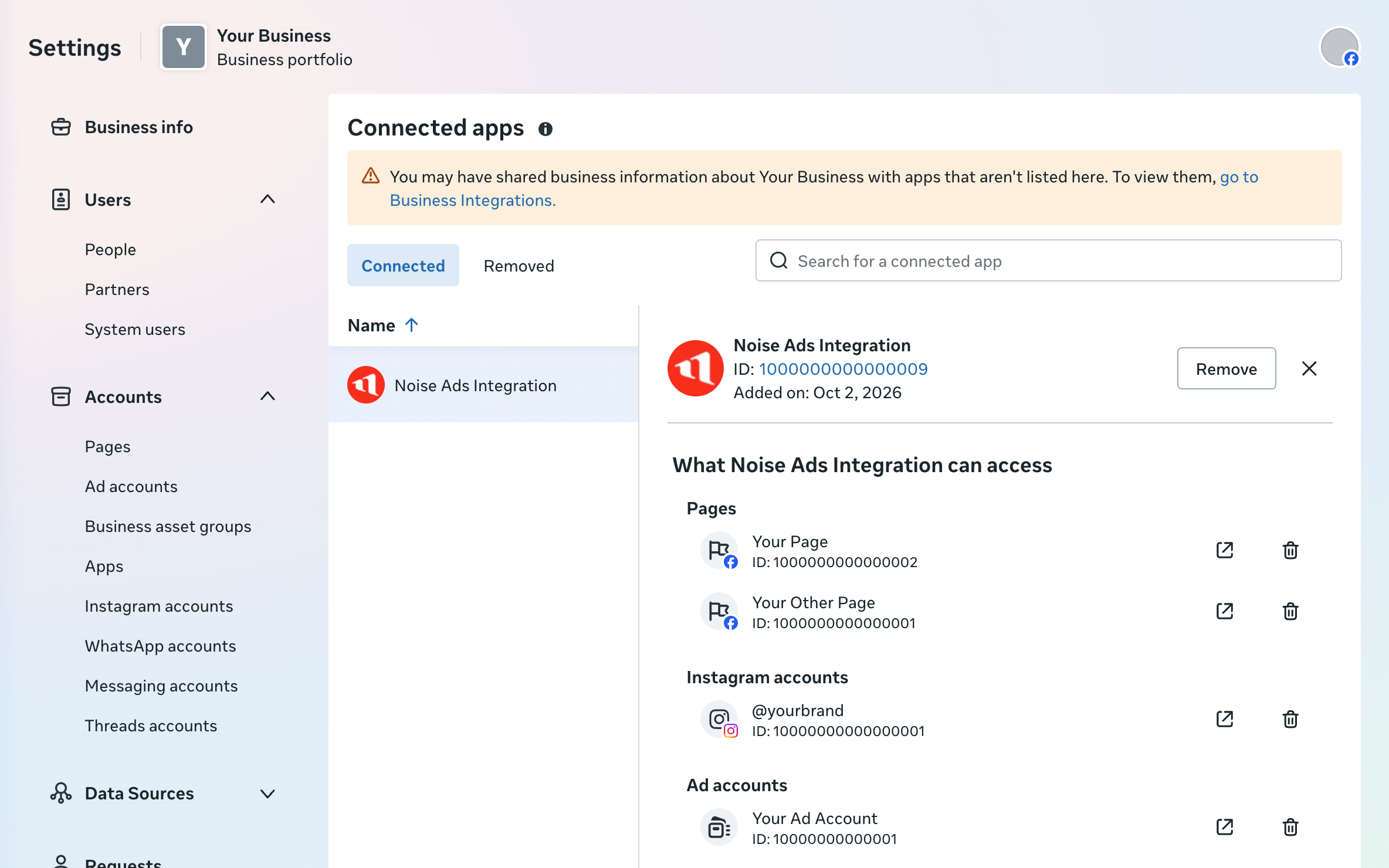
Open Integrations → Connected apps and click Noise Ads Integration. What Noise Ads Integration can access lists the Pages, Instagram accounts, and ad accounts your portfolio shared with Noise. This is also where you remove access.
Troubleshooting TikTok
- No advertiser accounts in the list: the TikTok account you signed in with doesn't have access to one. Sign in with the account that runs your ads, or ask your Business Center admin to add you to the advertiser account.
- "Only USD advertiser accounts are supported for now": connect a USD advertiser account instead.
- "TikTok authorization was revoked": Noise was removed in TikTok for Business, and the card says Reconnect needed. Click Reconnect.
Disconnecting
Disconnect on the card stops Noise tracking spend on ads built from your creatives, and removes that ad account's ads history from your dashboard. Ads Noise already built stay in your ad account and keep running until you pause them there. To also remove Noise's access on the platform side, use Meta's Connected apps (above) or TikTok for Business.